Announcements and polls
Show a scrolling announcement in the employee app with Info Banner, and collect employee answers with one-off or daily polls — results included.
Put important news right inside the app employees open every day to clock in — instead of letting it sink in a busy group chat. Info Banner shows as scrolling text at the top of the employee app, while Polling (polls) collects their answers, for example daily meal orders, uniform sizes or a vote.
Before you start
- Open Pengaturan (Settings) › Komunikasi (Communication). Admins and HR Managers can manage both; Managers can manage Info Banner.
- Messages and polls are only visible to employees who have signed in to the app. See Invite employees to the app.
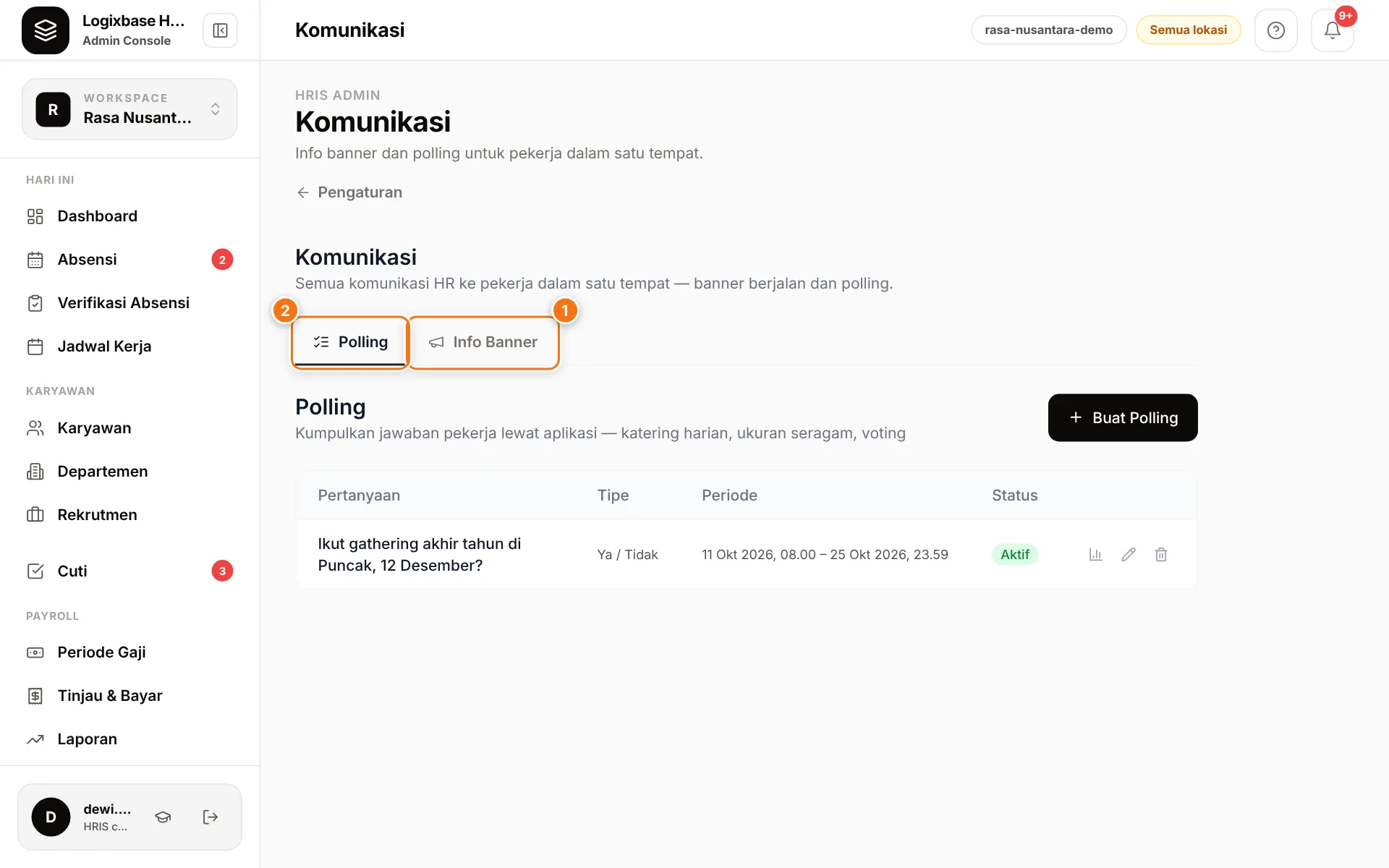
Info Banner
- Open the Info Banner tab (1) and click Buat Pesan (create message).
- Write the Pesan (message, up to 280 characters).
- Set Mulai berlaku (starts) and Berakhir (ends) — date and time.
- Click Simpan (save).
While active, the message scrolls in the employee app header. If several messages are active, they all scroll one after another in a single line. The list shows each message as Akan datang (upcoming), Aktif (active) or Sudah lewat (ended).
To change a message, click the pencil icon (Ubah Pesan, edit message), then Perbarui (update). To delete it, click the trash icon and choose Ya (yes).
Tip
Always set Berakhir to match the need, for example the last day of a holiday schedule. The message disappears on time by itself, so the banner never carries outdated news.
Polls
- Open the Polling tab (2) and click Buat Polling (create poll).
- Write the Pertanyaan (question, up to 500 characters) and, if useful, a Deskripsi (description) for context.
- Choose the Tipe jawaban (answer type): Ya / Tidak (yes/no), Pilihan Ganda (multiple choice, at least 2 options) or Isian Teks (free text).
- Choose the Pengulangan (repeat): Sekali (once), or Harian (reset tiap hari) (daily, resets every day) for a routine question.
- Set Mulai berlaku and Berakhir, then click Simpan.
Active polls appear on the employee app's home screen. Employees answer with Kirim Jawaban (send answer) and can change it (Perbarui Jawaban, update answer) until the poll closes. Daily polls reset every day, so one poll covers the same question every morning.
See the results
Click the Hasil (results) icon on a poll's row to open Hasil Polling (poll results):
- the number of answers, plus the count and percentage for each option (for Ya / Tidak and Pilihan Ganda);
- the Responden (respondents) list: name, answer and time answered;
- for daily polls, pick the Tanggal (date) you want to see.
Ideas
- Daily meal or transport orders — a Ya / Tidak poll repeating Harian.
- Uniform sizes — Pilihan Ganda with S, M, L and XL.
- Employee feedback — Isian Teks open for a week.
- Holiday schedule or opening-hours reminders — an Info Banner with a clear end date.